How to Fix iPhone 18 Pro Face ID Not Working Fast
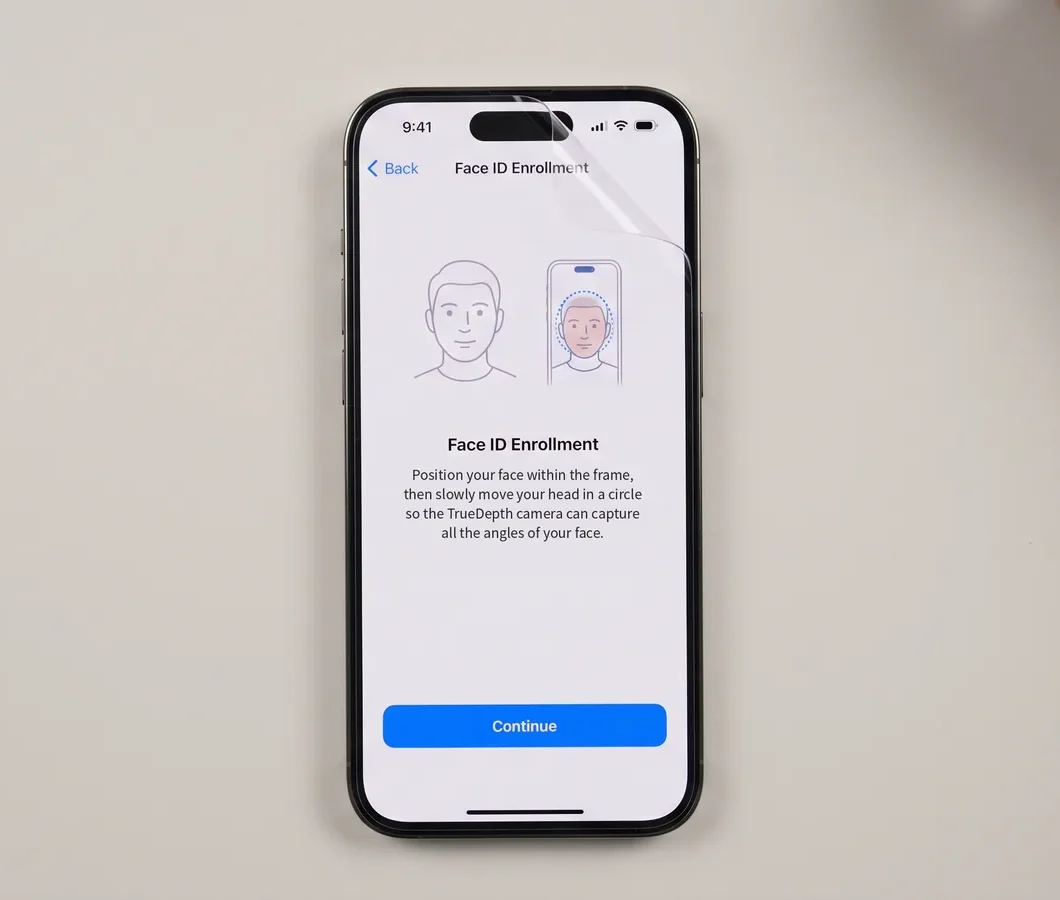
Is your iPhone 18 Pro Face ID not working since you fitted a screen protector? The protector is the likely cause, not a broken phone. Apple’s newest Face ID camera sits behind a smaller cutout this year, and matte or privacy protectors can block it. Peeling it off fixes most reported cases in seconds.
Key takeaways
- Matte, frosted, and privacy screen protectors are the confirmed trigger in most reported iPhone 18 Pro and Pro Max Face ID failures. Clear protectors made for this model generally don’t cause the problem.
- Apple’s own Face ID troubleshooting guide already tells users to remove anything covering the TrueDepth camera, including a screen protector, before assuming a hardware fault.
- This almost never needs a repair. Apple’s warranty excludes damage tied to third-party accessories, but in most cases there’s no damage at all, just a blocked sensor that clears up when you remove the film.
- If Face ID still fails with the phone completely bare, no case, no protector, that points to an actual hardware issue worth a Genius Bar visit.
iPhone 18 Pro Face ID not working: why this year’s camera is pickier
Apple’s spec page describes Face ID as “enabled by TrueDepth technology in the Center Stage front camera.” That camera now sits in a smaller Dynamic Island cutout than previous generations. Apple’s September 18 newsroom announcement confirms the redesigned Dynamic Island “can now show three Live Activities at once, while continuing to enable Face ID.”
Neither document uses the phrase “under-display.” Independent teardown work goes further. Repair specialist REWA Technology examined an early unit, and AppleMagazine’s report on that teardown says the infrared camera has been moved out of the central sensor cluster to sit beneath the OLED panel, towards the upper left of the display. Notebookcheck explains how that can work: a patch of the panel is built with its pixels spaced more thinly, letting enough infrared light through for the camera to scan a face without an opening of its own. Treat both as strong, corroborated reporting rather than an Apple-confirmed spec, since Apple itself hasn’t used that language.
The practical result is the same either way. The infrared dot pattern Face ID projects now has to pass through more display material and a tighter cutout than on older iPhones. Anything that scatters or blocks that light on top of the glass has a bigger effect than it used to.
Does this affect the standard iPhone 18?
Apple has not confirmed this. Every report about the smaller cutout and the relocated infrared camera specifically names the iPhone 18 Pro and Pro Max. AppleMagazine’s coverage of the REWA teardown ties the smaller Dynamic Island specifically to the launch of the iPhone 18 Pro and iPhone 18 Pro Max. That claim doesn’t extend to the base iPhone 18. Until Apple or an independent teardown says otherwise, treat this as a Pro-line issue. Don’t assume a standard iPhone 18 behaves the same way with a matte protector.
Which screen protectors actually cause the problem
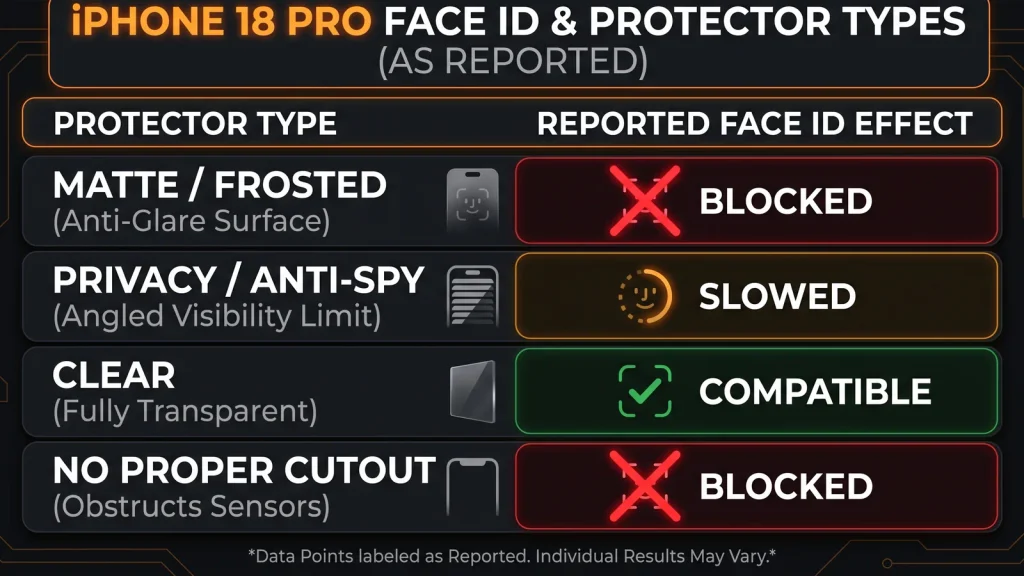
Not every protector is equally risky. Coverage from BGR and Notebookcheck, both citing hands-on testing, points to a consistent pattern by protector type.
| Protector type | Reported effect on Face ID | Source |
|---|---|---|
| Matte or frosted finish | Face ID fails outright in testing | Notebookcheck, citing reviewer Dave Lee; BGR |
| Privacy or anti-spy film | Recognition becomes slow or unreliable | BGR, Notebookcheck |
| Clear glass or clear film | Generally unaffected in reports | Apple’s general Face ID guidance; user reports |
| Protector without a proper camera cutout | Can block the TrueDepth camera entirely | Apple Support Face ID troubleshooting document; Apple Support Community reports |
The mechanism lines up with basic optics. A matte or frosted coating scatters the infrared pattern the sensor needs to build a depth map of your face. A clear surface lets more of that light through with less distortion, which is why clear protectors rarely cause the same failure.
Privacy protectors sit in between. Their angle-limiting layer is designed to scatter visible light at an angle, which can also disrupt the infrared pattern coming from a shallower position under the display.
How this differs from older iPhones
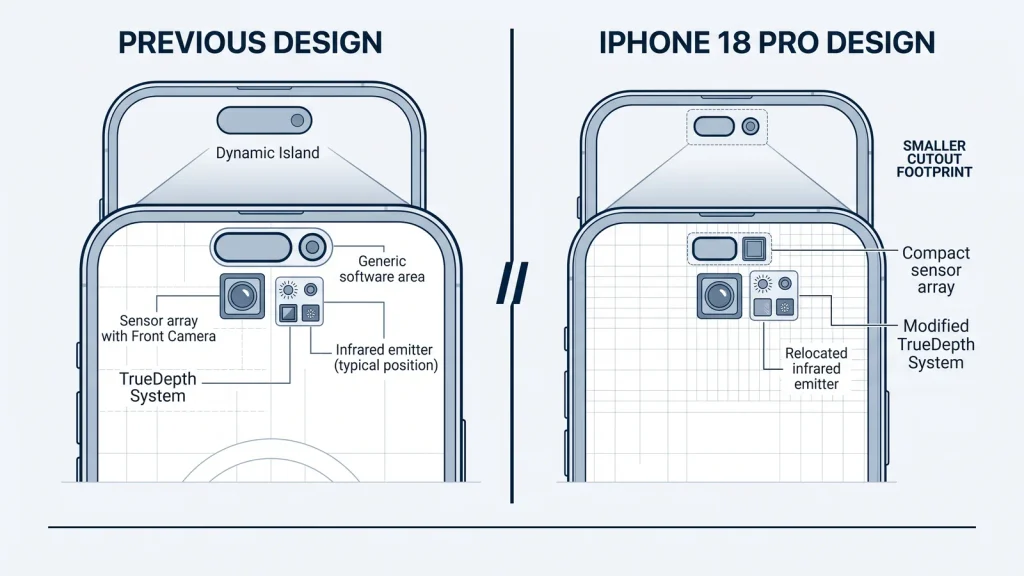
On the iPhone 14 Pro through iPhone 17 lines, the TrueDepth camera sat inside a larger Dynamic Island pill, with more physical clearance around the sensor. Screen protectors on those models occasionally caused problems too, mostly when a protector’s camera cutout was misaligned or too small. A correctly cut clear or matte protector rarely broke Face ID outright on those models.
The iPhone 18 Pro’s redesign shrinks that clearance. Per the REWA teardown, it also tucks the infrared emitter under active display pixels instead of beside them. That makes the system more dependent on exactly what sits directly above it. A protector finish that was harmless on an iPhone 16 Pro can behave differently on an 18 Pro, even if the two protectors look and feel similar in the box.
How to fix it, using Apple’s own steps
Apple’s published Face ID troubleshooting document lays out a fixed sequence. Applied to a screen-protector case specifically, it looks like this:
- Update iOS. Confirm your iPhone is on the latest iOS version before troubleshooting further.
- Check that Face ID is turned on. Go to Settings > Face ID & Passcode and confirm it’s enabled for the features you’re using.
- Remove the screen protector. Apple’s guidance specifically calls out removing anything that covers the TrueDepth camera, including a smudge, a case or a screen protector.
- Clean the camera area. Wipe away smudges, fingerprints, or residue near the top of the screen.
- Check your face is fully visible. Eyes, nose, and mouth need to be unobstructed and facing the camera.
- Hold the phone at arm’s length. Apple recommends roughly 10 to 20 inches from your face, facing the TrueDepth camera directly.
- Restart the iPhone. Power off, power back on, enter your passcode, and try Face ID again.
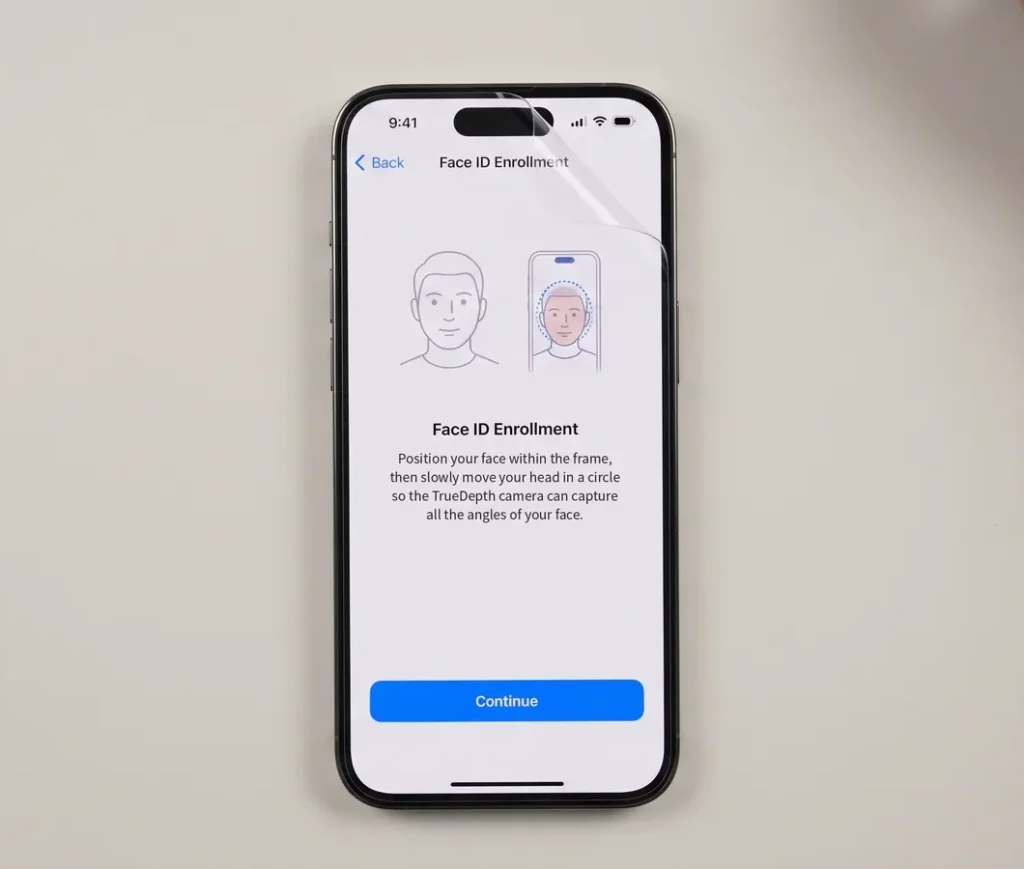
- Reset Face ID and set it up again. Go to Settings > Face ID & Passcode > Reset Face ID, then re-enroll your face without the protector on.
- Test with the protector back on, if you want to keep using it. If Face ID works without the protector but fails once it’s reapplied, you’ve isolated the cause.
- Contact Apple if none of this resolves it. Persistent failure with nothing covering the camera points to a hardware issue, not an accessory conflict.
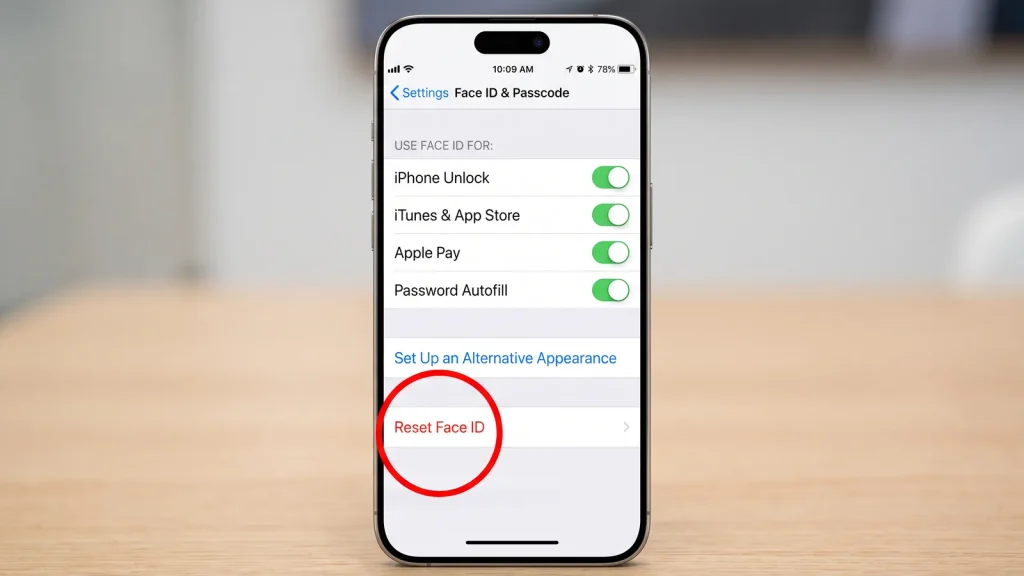
Most people only need steps 3 and 8: remove the protector, then reset and re-enroll Face ID so it maps your face without the extra layer in the way.
Is this covered under warranty or AppleCare+?
Usually, there’s nothing to cover, because there’s no damage to the phone. The screen protector is blocking or distorting a sensor reading, not harming hardware, and removing it restores normal function.
If you’re wondering whether Apple would replace the phone over this, the answer in most cases is that there’s no fault to replace. Apple’s Limited Warranty specifically excludes damage caused by using a third-party component or product that does not meet Apple’s specifications. Even in a scenario where a protector did cause lasting harm, that clause would likely apply instead of standard coverage.
Where this changes: if Face ID fails with the phone completely bare, no case, no protector, no smudges, and a factory reset of Face ID doesn’t fix it, that’s a legitimate hardware complaint. Apple’s one-year limited warranty and AppleCare+ both cover manufacturing defects in the TrueDepth camera itself. That’s a Genius Bar or Apple Support conversation, not a screen-protector problem.
When it’s not the screen protector
A few signs point away from an accessory conflict and toward an actual fault:
- Face ID fails with absolutely nothing on the screen and no case installed.
- Settings shows an error like “Face ID Not Available” rather than simply failing to recognize you.
- The TrueDepth camera area looks physically damaged, scratched deeply, or was exposed to liquid.
- The phone was dropped or has any other new physical damage around the top of the display.
- Face ID worked fine for days or weeks and then stopped with no accessory change at all.
In any of these cases, resetting Face ID and testing without a protector is still worth trying first, since it takes under two minutes. If the problem persists with the phone completely bare, book a Genius Bar appointment or start a repair request through Apple Support rather than continuing to test accessories.
FAQ
Does a screen protector affect Face ID on the iPhone 18 Pro?
Yes, for certain types. Matte, frosted, and privacy screen protectors have been documented causing Face ID failures on the iPhone 18 Pro and Pro Max, while clear protectors generally have not.
Which screen protectors are safe for iPhone 18 Pro Face ID?
Clear glass or clear film protectors made specifically for the iPhone 18 Pro or Pro Max, with an accurate cutout over the camera area, are the safest choice reported so far. Avoid matte, frosted, or privacy finishes if Face ID reliability matters to you.
Will Apple replace my iPhone 18 Pro if Face ID stops working because of a screen protector?
Not typically, and it usually isn’t necessary. Removing the protector and resetting Face ID resolves the issue in most reported cases, since nothing is actually broken. Apple’s warranty also excludes damage tied to third-party accessories that don’t meet its specifications.
Why did Face ID stop working right after I put on a new screen protector?
The protector is very likely interfering with the infrared pattern the TrueDepth camera projects to map your face. This is more noticeable on the iPhone 18 Pro because this year’s camera sits behind a smaller cutout with less clearance than previous models.
Does the standard iPhone 18 have the same Face ID problem?
Apple hasn’t confirmed this either way. Every report about the smaller camera cutout and relocated infrared sensor names only the iPhone 18 Pro and Pro Max. Treat the standard iPhone 18 as unconfirmed until a teardown or Apple statement says otherwise.
Can I use a privacy screen protector and still rely on Face ID?
It’s risky. Privacy protectors have been reported to make Face ID slower or less reliable on the iPhone 18 Pro line. If you need one for a work environment, test Face ID immediately after applying it, and be ready to fall back on your passcode if recognition becomes unreliable.
Bottom line
This is an accessory-compatibility problem, not a hardware defect, in the overwhelming majority of reported cases. Apple made a deliberate trade-off this generation: a smaller camera cutout and a more discreet Dynamic Island, in exchange for a Face ID sensor that’s more sensitive to what sits on top of it.
If you want a screen protector and reliable Face ID, buy one built specifically for the iPhone 18 Pro or Pro Max with a verified camera cutout, and skip matte or privacy finishes. If you already have a protector and Face ID stopped working, remove it, reset Face ID, and re-enroll your face before you assume anything is wrong with the phone. Save the Genius Bar visit for the rare case where the problem follows the phone even with nothing covering the screen at all.