How to Easily Tame AirPods 5 Bass in iOS 27
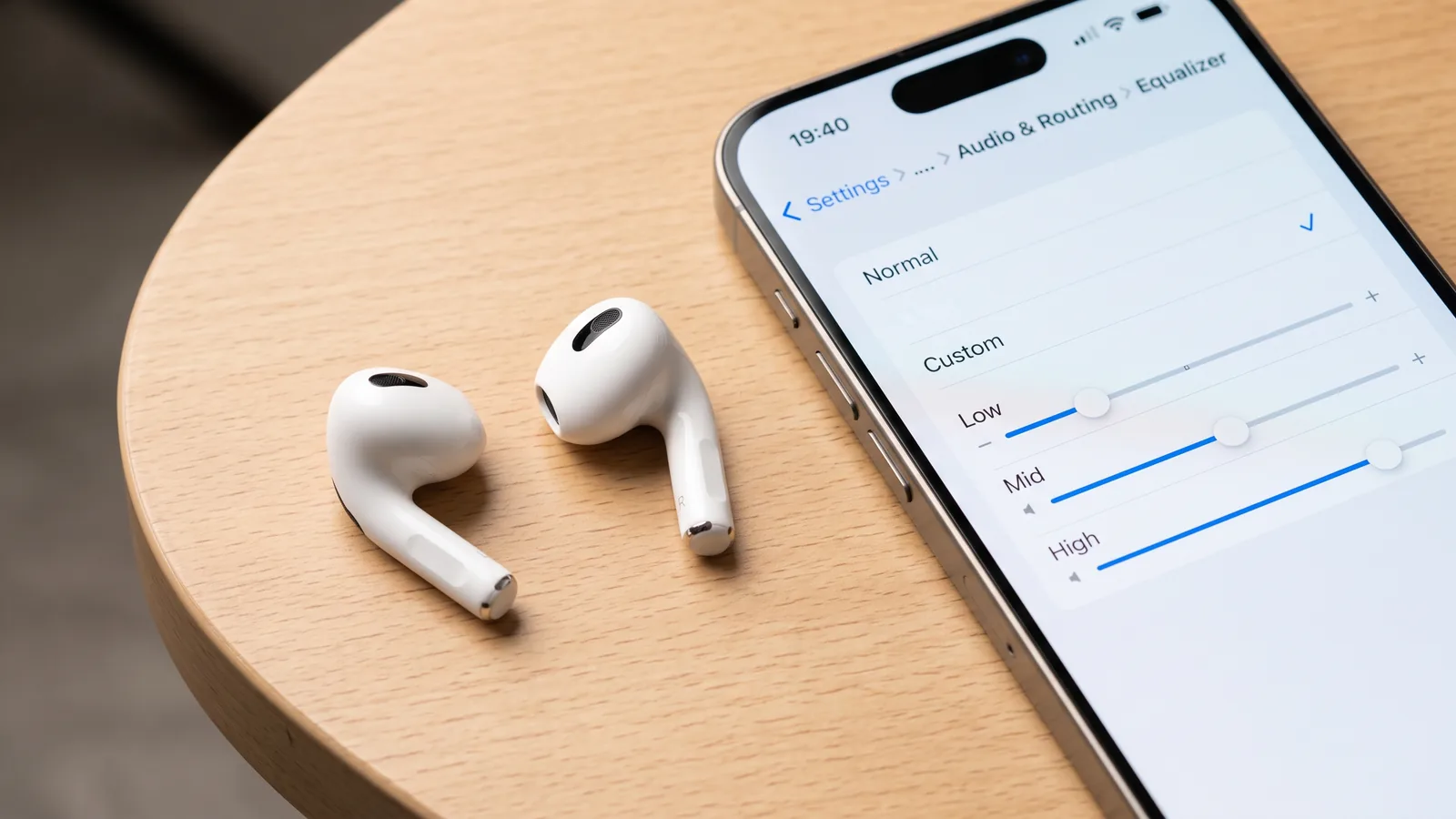
AirPods 5 too much bass for your taste? That’s not in your head. Apple tuned AirPods 5 with a new acoustic design for a richer low end, and iOS 27 now lets you pull that bass back with a three-band Custom EQ. Here’s how to turn it on and what to change.
Key takeaways
- AirPods 5 use a new multiport acoustic architecture that Apple says delivers richer, more detailed sound. Several owners report it shows up as noticeably heavier bass than AirPods 4.
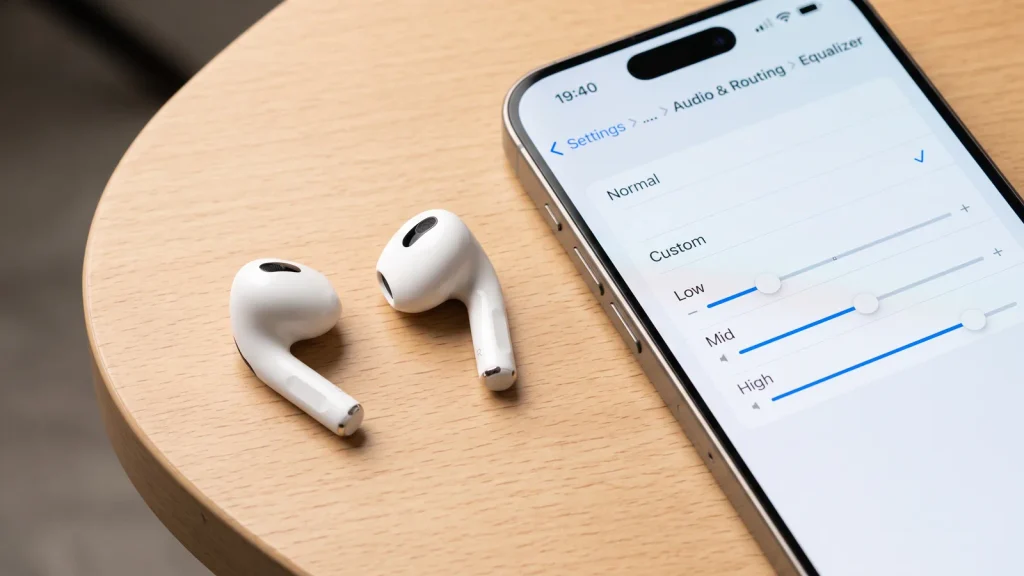
- iOS 27 adds a three-band Custom EQ (Low, Mid, High) under Settings, and Apple’s own support documentation confirms AirPods 5 is on the supported list.
- Custom EQ is different from Adaptive EQ, the automatic tuning AirPods have always done. Turning on Custom EQ doesn’t replace Adaptive EQ — it layers a manual adjustment on top.
- Pulling the Low slider down and nudging Mid up is the standard fix for buried vocals. Some owners still say three bands are too coarse to fully tame the bass.
- Your Custom EQ setting is stored on the AirPods themselves, so it carries over to your iPad and Mac automatically.
AirPods 5 Too Much Bass: What’s Actually Causing It
Apple redesigned the internals for AirPods 5, while the outside stayed the same. The earbuds use what Apple calls a new multiport acoustic architecture, borrowing tuning ideas from AirPods Pro 3. Apple says it produces richer, more detailed sound across a wider range of ear shapes.
In practice, owners comparing AirPods 5 to AirPods 4 describe the difference as a real jump in bass presence, not a subtle EQ shift. In a MacRumors forum thread, one listener described the AirPods 5 as “super bass forward” and said songs they used to enjoy on AirPods 4 now sound muddled. Another reported that vocals sit further back in the mix and are harder to hear on certain tracks.
This isn’t a defect. It’s a deliberate tuning choice that happens to not suit every ear or every genre — which is exactly the gap iOS 27’s Custom EQ is built to close.
Why a Software Fix Makes Sense Here
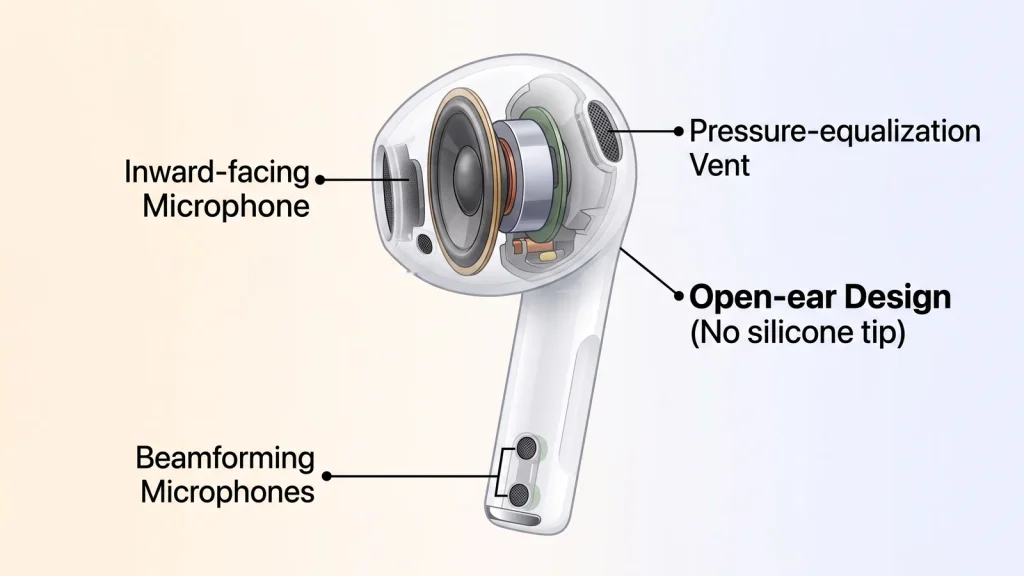
AirPods 5 keep the classic open-ear design, with no silicone tips like AirPods Pro uses. That matters for the bass conversation. A sealed tip physically blocks outside noise and helps trap low frequencies against your eardrum before any processing happens. AirPods 5 have no seal to work with.
Instead, Apple leans on electronics: dual beamforming microphones, an inward-facing mic, a driver, and real-time processing to fake the noise-blocking a silicone tip would normally provide. Apple even added a vent system for pressure equalization. That’s an admission that air, and sound, move in and out of the design. Nothing about the fit is adjustable; there’s no tip size to swap, unlike AirPods Pro.
That’s the reason a software-side fix is the right tool here, not a wrong one. With no physical seal to adjust, almost everything you hear from AirPods 5, bass included, comes from tuning and processing rather than the acoustic seal itself. A software EQ sits at exactly the layer where that tuning happens.
Custom EQ vs. Adaptive EQ: Don’t Confuse the Two
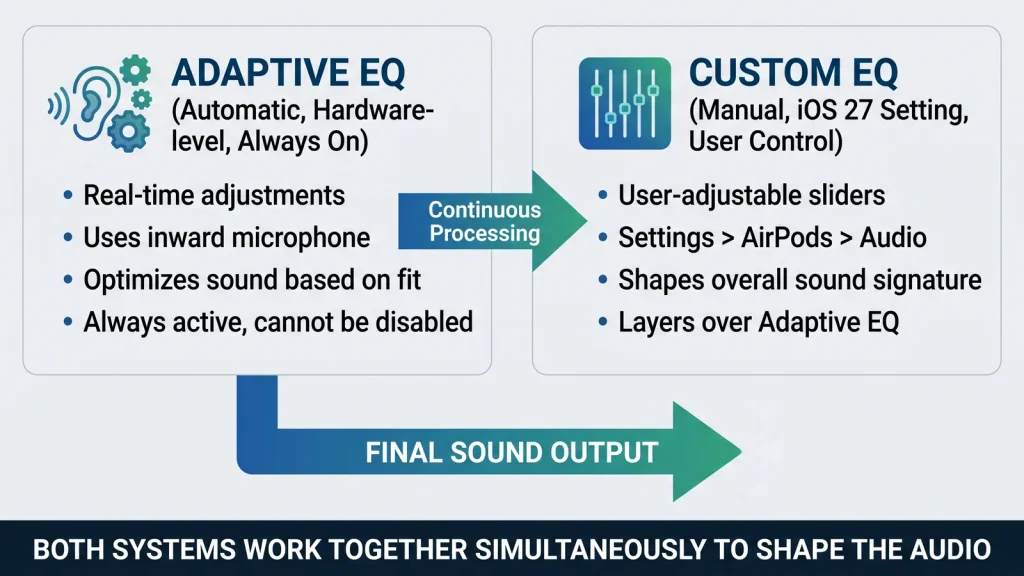
AirPods have used Adaptive EQ for years. It’s an automatic, hardware-level feature that continuously adjusts sound based on how the earbuds fit and seal in your ear. You never see a control for it, and it runs whether you like it or not.
Custom EQ, new in iOS 27, is different. It’s a manual, three-band slider control — Low, Mid, and High — that you set yourself in Settings. It doesn’t turn Adaptive EQ off. The two run at the same time: Adaptive EQ corrects for fit in the background, and your Custom EQ adjustment sits on top of it.
That’s worth knowing before you go looking for a single toggle that “fixes” the bass. You’re adding a manual correction, not replacing Apple’s automatic tuning.
How to Turn On Custom EQ for AirPods 5
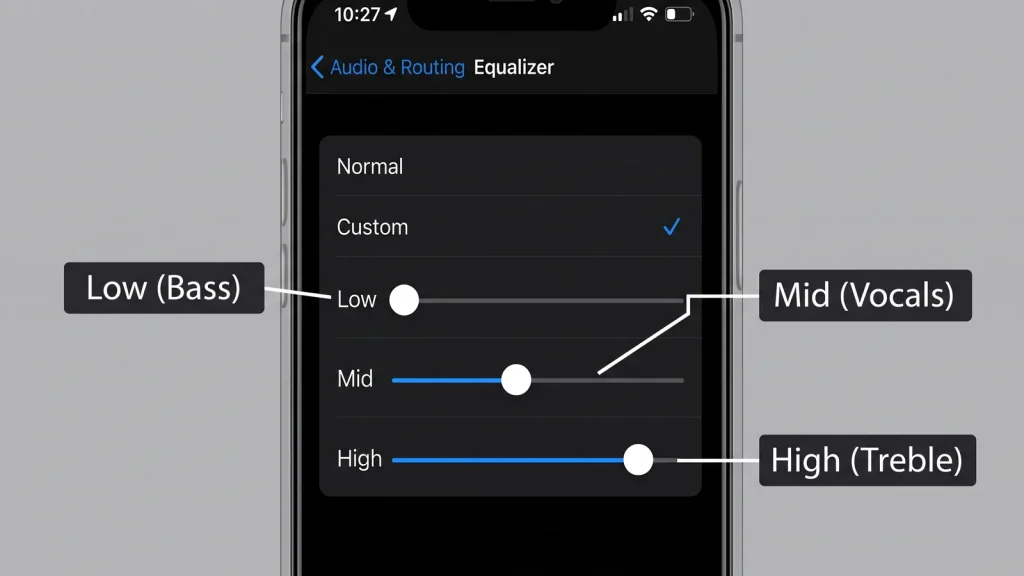
Apple’s support documentation lists AirPods 5 as a supported model for Custom EQ, alongside AirPods 4, AirPods Pro 2, AirPods Pro 3, and AirPods Max 2. Here’s the path:
- Open Settings on your iPhone or iPad.
- Tap your AirPods’ name near the top.
- Go to Audio & Routing.
- Tap Equalizer.
- Switch from Recommended to Custom.
- Drag the Low, Mid and High sliders to taste.
On a Mac, the same controls live in System Settings, under your AirPods’ name in the sidebar. Your AirPods play back your most recently used audio while you adjust, so you can hear changes in real time. Once you’re happy, the setting is stored on the AirPods hardware itself. It carries over automatically to your other Apple devices, so you don’t need to redo it on your iPad or Mac.
If you open Settings and don’t see an Equalizer option at all, the fix usually isn’t the EQ itself. Confirm your iPhone or iPad is actually running iOS 27 or iPadOS 27, rather than an older 26.x update — Settings > General > Software Update will tell you. Then make sure your AirPods are charging, connected via Bluetooth, and in range of a device that’s on Wi-Fi. Apple’s documentation says that combination triggers an automatic firmware update. Allow at least 30 minutes. The Equalizer option only shows up once that firmware has caught up.
What to Actually Adjust for the Bass Complaint
Apple hasn’t published recommended slider values, and there’s no single setting that works for every track or every ear. But the specific complaint pattern reported by AirPods 5 owners — heavy low end, vocals pushed backward — points to a starting adjustment worth trying:
- Pull the Low slider down slightly first. This is the band doing most of the work in the “too much bass” complaint.
- Nudge Mid up a small amount if vocals still feel buried after the Low adjustment. Vocals and most instruments live in this band.
- Leave High alone unless treble feels harsh or sibilant on top of the bass issue — that’s a separate problem from what owners are describing.
Make small moves and listen on a few different tracks before adjusting further. The three sliders are broad strokes, not a parametric EQ with precise frequency and gain control, so expect to land on “better,” not “perfect.”
How far you need to push each slider depends on what you listen to. Bass-forward genres will still sound fuller than acoustic folk or classical, even after you pull Low down. Hip-hop, electronic and heavily mixed pop simply carry more bass energy in the source material. Test your adjustment against whatever you actually listen to most, not a single reference track, before deciding the EQ isn’t working.
Why Some Owners Say the Fix Isn’t Enough
Not everyone who’s tried Custom EQ on AirPods 5 is satisfied. On that same MacRumors forum thread, one owner updated specifically hoping Custom EQ would help. They said they still could not get it quite right, and felt AirPods 5 do not respond to EQ changes as consistently as other Apple audio products.
That lines up with what Custom EQ actually is: three broad bands, not the many-band parametric control found in dedicated audio apps. If your ears are sensitive to a specific narrow frequency range, three sliders may not isolate it.
For most listeners bothered by general bass heaviness, pulling Low down is enough to notice a real difference. If it isn’t, try your streaming app’s own EQ next. Apple Music, Spotify and most other players include finer-grained controls. These stack on top of your system-wide setting, giving you a second pass at the sound Custom EQ couldn’t quite finish.
AirPods 5 vs. AirPods 4: What Changed in Sound
| AirPods 4 | AirPods 5 | |
|---|---|---|
| Chip | H2 | H2 |
| Acoustic design | Previous-generation architecture | New multiport acoustic architecture |
| Tuning reference | — | Inspired by AirPods Pro 3 |
| Active Noise Cancellation | Baseline | Up to 50% more noise removed |
| Custom EQ (iOS 27) | Supported | Supported |
| Starting price | $129 | $129 ($149 with wireless case) |
The chip is unchanged — both generations run Apple’s H2. The bass difference comes from the acoustic hardware and tuning choices Apple made around it, not from more processing power.
Battery life moved too, which matters if you’re weighing whether to keep AirPods 4 instead of switching. The $149 AirPods 5 configuration with the Wireless Charging Case gets up to five hours of listening with ANC on. That’s an hour longer than AirPods 4 managed, and it stretches to 22 hours total with the case topped up. None of that battery change affects the EQ discussion directly, but it’s part of the same trade-off if the bass tuning is what’s giving you pause about upgrading.
FAQ
Why do AirPods 5 sound bassier than AirPods 4?
Apple redesigned the internal acoustic architecture for AirPods 5, borrowing tuning from AirPods Pro 3 for richer, more detailed sound. Several owners report that translates into noticeably heavier bass than AirPods 4 had.
Does iOS 27’s Custom EQ work on AirPods 5?
Yes. Apple’s own support documentation lists AirPods 5 as a supported model for Custom EQ, alongside AirPods 4, AirPods Pro 2, AirPods Pro 3, and AirPods Max 2.
What’s the difference between Adaptive EQ and Custom EQ?
Adaptive EQ is automatic and hardware-based — it adjusts for how the AirPods fit your ear and has always run in the background. Custom EQ, new in iOS 27, is a manual three-band slider you set yourself, and it runs on top of Adaptive EQ rather than replacing it.
How do I turn on Custom EQ for AirPods 5?
Open Settings, tap your AirPods’ name, go to Audio & Routing, tap Equalizer, and switch from Recommended to Custom. Drag the Low, Mid, and High sliders while your AirPods play audio so you can hear the change.
Will Custom EQ completely fix the bass-heavy sound?
For most listeners, pulling the Low slider down noticeably reduces the bass-heavy feel. Some owners report the three-band control is too broad to fully correct their specific complaint, since it doesn’t offer the fine-grained control of a full parametric EQ.
Why can’t I just swap to a smaller ear tip like on AirPods Pro?
AirPods 5 use the classic open-ear stem design with no silicone tips and nothing adjustable in the box — unlike AirPods Pro, there’s no tip size to change. That’s part of why a software fix through Custom EQ, rather than a physical fit adjustment, is the right tool for this specific complaint.
The Bottom Line
The AirPods 5 too much bass complaint isn’t a bug. It’s how Apple tuned them, and that tuning doesn’t suit every ear. iOS 27’s Custom EQ gives you a real, Apple-confirmed way to pull it back. For most people, dropping the Low slider and nudging Mid up solves the complaint in a couple of minutes. If your ears want more precision than three sliders can offer, that’s a genuine limit of the tool, not something you’re doing wrong.