Apple Watch Readiness Score Not Showing Up? It’s Your Model
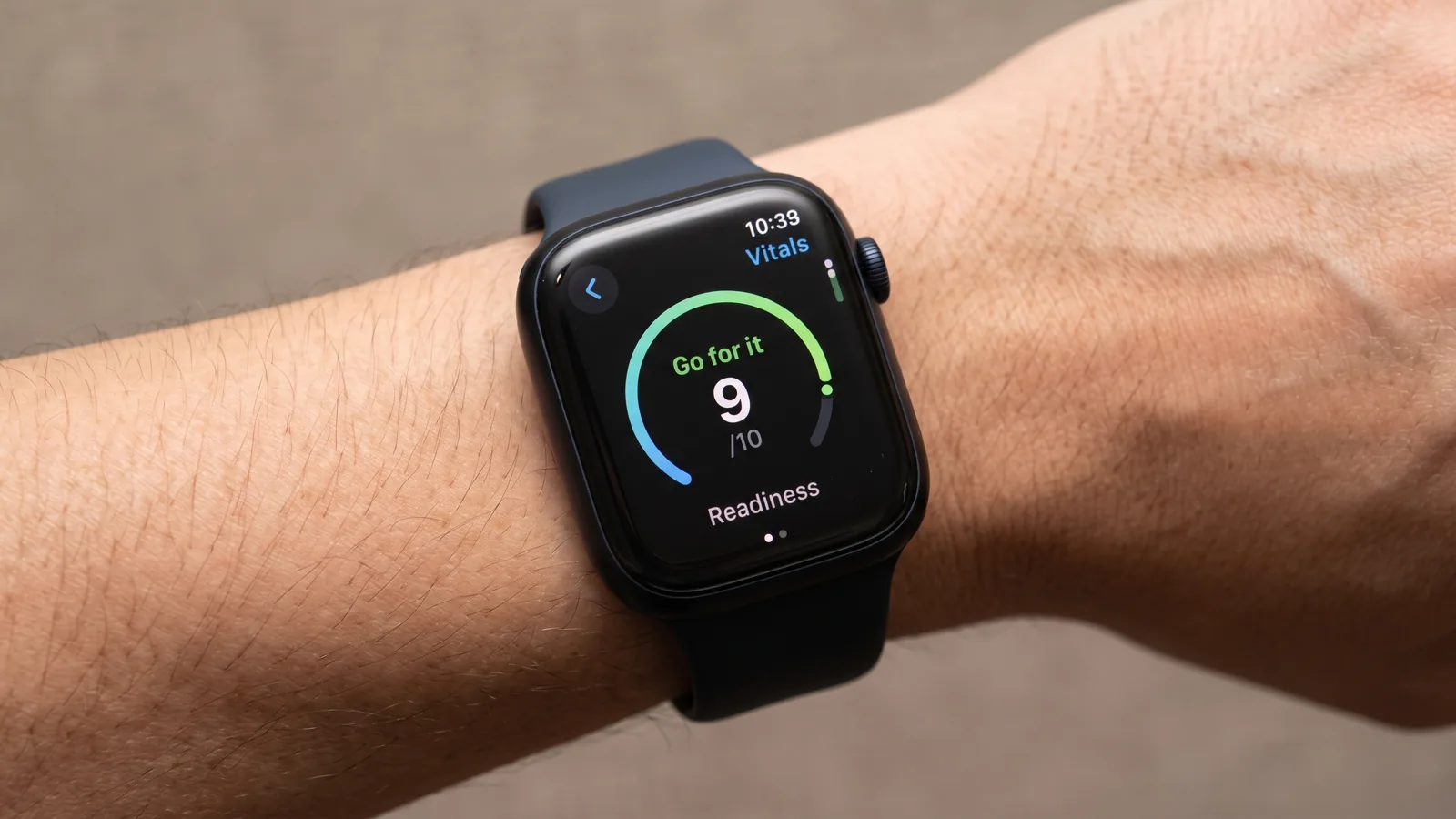
Apple Watch readiness score not showing up? One of three things is true: your watch isn’t a Series 12 or Ultra 4, you haven’t finished Apple’s four-part setup, or you haven’t worn it to sleep long enough. Apple’s support page requires at least 7 nights of overnight data before the first number appears.
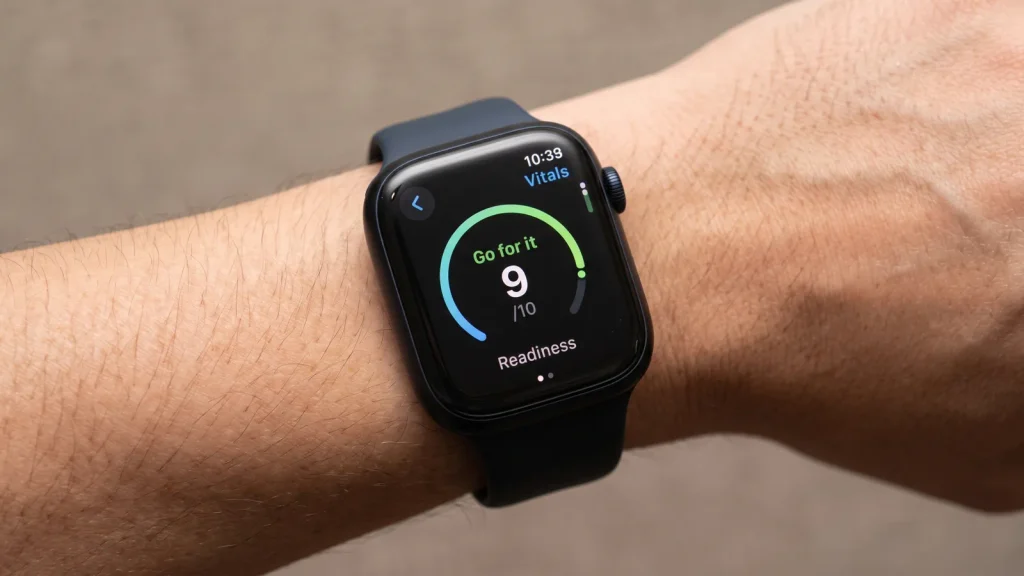
Key takeaways
- Readiness score is exclusive to Apple Watch Series 12 and Apple Watch Ultra 4 — every other model, including Series 11 and Ultra 3, can run watchOS 27 but will never show one.
- Apple requires four things before a score appears: Health Details filled in, the Activity app configured, overnight vitals turned on, and at least 7 nights of sleep-tracked wear.
- The score itself is a single 0–10 number with a plain-language label: Recover, Pace Yourself, Ready, or Go For It.
- It draws on three data streams — Activity, Vitals, and Sleep — not just heart rate.
- Apple explicitly says not to use it alone to decide whether it’s safe to work out.
Apple Watch Readiness Score Not Showing Up: Model Compatibility Explained
This is the part most setup guides skip, and it’s the most common reason the score never shows up. Readiness is not a watchOS 27 feature that rolled out to every compatible watch — it’s tied to hardware. Apple’s support documentation names exactly two models: Apple Watch Series 12 and Apple Watch Ultra 4.
watchOS 27 itself installs on a wider range of watches — SE 3, Series 9, Series 10, Series 11, Series 12, Ultra 2, Ultra 3, and Ultra 4. That’s the trap. A Series 11 or Ultra 3 owner can update to watchOS 27, open the Vitals app, and see the new interface. They still won’t get a readiness score, because the feature needs sensor hardware those watches don’t have. If you’re on any model older than Series 12 or Ultra 4, there’s no setting to toggle. No future update changes this — Apple has drawn the line at hardware, not software.
Pairing has its own requirement too. Apple’s watchOS 27 page lists an iPhone 11 or later, or an iPhone SE (2nd generation or later), running iOS 27, as the minimum for pairing. If your paired iPhone can’t run iOS 27, your watch can’t run watchOS 27 either. That means readiness never has a chance to load, regardless of which Apple Watch you own.
Overnight vitals vs. readiness score: not the same feature
It’s worth separating two things that get talked about as one. Apple’s overnight and daytime vitals documentation covers heart rate, respiratory rate, blood oxygen, wrist temperature, and sleep duration — and that feature works on every current Apple Watch model at some level. Wrist temperature specifically needs Series 8 or later, or any Ultra model. Readiness score is narrower: it’s built only into Series 12 and Ultra 4, and on those two watches, the overnight vitals view swaps out sleep duration for heart rate variability (HRV) instead, and adds extra daytime vitals tracking on top.
So a Series 10 owner can have functioning overnight vitals and still have zero path to a readiness score. That’s expected, not a bug.
Why this is a hardware limit, not a software one
The reason readiness stops at two models comes down to sensor sampling rate, not app design. Series 12 measures heart rate every 5 seconds around the clock and samples HRV up to 24 times more often than earlier generations did. That density of readings is what feeds the Vitals half of the readiness calculation — a watch that only checks heart rate periodically through the day simply doesn’t generate the same volume of input data. Apple could theoretically ship a scaled-down readiness score to older hardware, but nothing in its current documentation suggests that’s planned, and the four-step setup checklist Apple publishes is written specifically for Series 12 and Ultra 4 owners.
What each Apple Watch model gets you, by generation
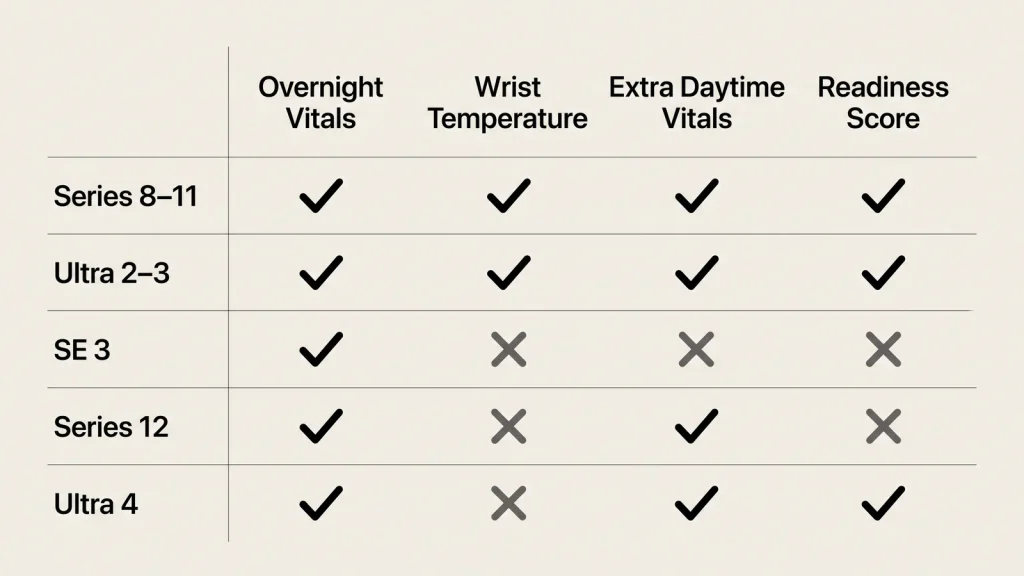
Source: Apple Support’s overnight and daytime vitals documentation and Apple’s readiness score page (both linked below). Wrist temperature is stated by Apple as available on “Series 8 or later, any Ultra model” — Apple’s page does not separately confirm SE 3 support, so it’s listed here as unconfirmed rather than assumed absent.
The four-step checklist Apple requires before a score appears
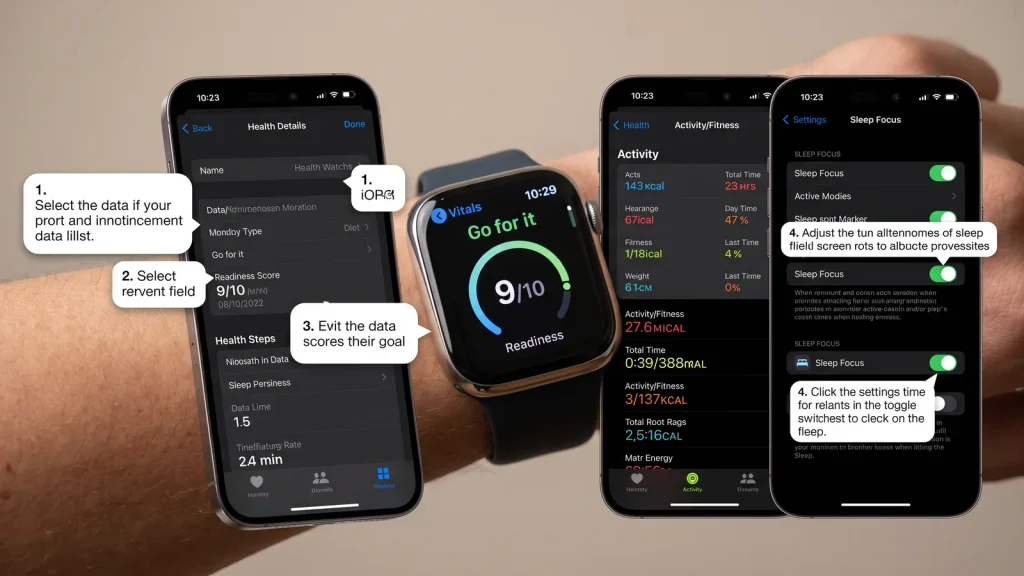
Apple’s support page lists these as prerequisites, not suggestions. Skip one and the score simply won’t generate, with no error message explaining why.
- Enter your Health Details. Height, weight, and age need to be set in the Health app on iPhone. This feeds the baseline the algorithm uses — without it, there’s nothing to calculate against.
- Configure the Activity app. Readiness pulls in active calories, workout effort ratings, and Training Load from your recent activity history, so the Activity rings and workout tracking need to actually be running, not just installed.
- Set up overnight vitals. This means Sleep tracking turned on with Sleep Focus enabled, on both a current iPhone (latest iOS) and a current Apple Watch (latest watchOS). There’s no separate “overnight vitals” toggle to hunt for. It activates automatically once sleep tracking and the software requirements are met.
- Wear the watch to sleep for at least 7 consecutive nights. This is the step almost everyone underestimates. Apple’s wording is specific: “at least 7 nights.” The same 7-night minimum applies to overnight vitals generally, so missing a night here and there likely resets how quickly a stable baseline forms.
If you’ve done all four and it’s been over a week, the most common culprit is an inconsistent sleep-tracking streak. That’s a night or two where the watch was off the wrist, charging overnight, or Sleep Focus wasn’t active. Apple frames the baseline period as consecutive nights of data, not simply “worn 7 times in the last month.” Gaps matter more than most people expect.
How the score is actually calculated
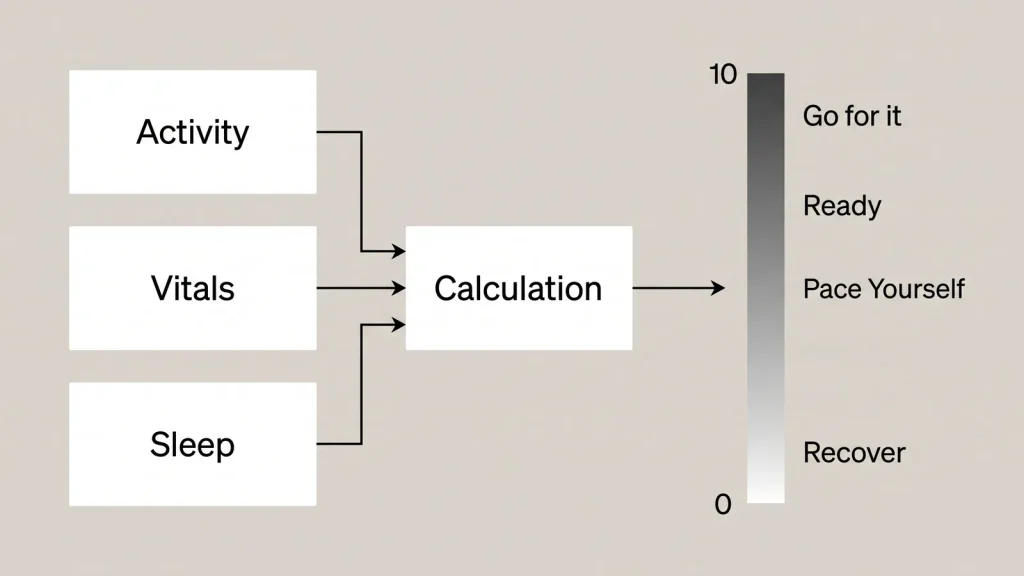
So how does the Apple Watch readiness score actually work once it appears? Readiness isn’t a single-metric number pulled from heart rate alone. Apple describes it as a blend of three categories:
- Activity — active calories, workout effort ratings, and Training Load, drawn from the current day and recent history.
- Vitals — both daytime and overnight measurements, including heart rate variability. On Series 12 and Ultra 4, HRV is sampled up to 24 times more often than on earlier models. Apple tracks two separate HRV readings: a Recovery HRV meant to reflect short-term stress and recovery, and an overall HRV meant to reflect broader cardiovascular patterns over time.
- Sleep — the previous night’s sleep score plus recent sleep history.
Apple says elevated HRV readings tend to produce what it calls “favorable vitals,” which push the score higher. The underlying algorithm, according to Apple, was built using data from the Apple Heart and Movement Study, developed with exercise scientists and physicians rather than in isolation.
Heart rate sensing on Series 12 also changed at the hardware level. The watch measures heart rate every 5 seconds, continuously, all day. That’s part of why the daytime Vitals input is richer on this generation than on older watches that sample less frequently.
Reading the score once it appears
The output is a single number, 0 through 10, paired with one of four plain-language recommendations:
- Go for it — 8 to 10. Vitals, sleep, and recent training load all point toward good recovery.
- Ready — 5 to 7. No red flags, reasonable capacity for a normal day.
- Pace Yourself — 2 to 4. Something in the inputs — often a rough night’s sleep or a heavy training day — is pulling the number down.
- Recover — 0 to 1. The lowest band, signaling the data leans toward rest rather than pushing hard.
Apple is explicit that this shouldn’t be treated as medical guidance. Its support documentation states the score should not be solely relied on to decide whether it’s safe to exercise, and that people with health concerns should talk to a doctor rather than lean on the number. That’s a meaningful caveat for anyone tempted to use “Go for it” as a green light before a hard workout when something else — an illness, an injury, medication — is actually the bigger factor that day.
To see how the three inputs pull against each other, picture two mornings. On the first, sleep was full-length, overnight HRV read normal, and the previous day’s Training Load was light. Activity, Vitals, and Sleep all point the same direction, so the score lands in the Go for it range. On the second, sleep was cut short after a hard training session the day before. Sleep drags the number down even if Vitals alone look fine, and the result is more likely Pace Yourself or Recover. The score blends three categories rather than reading heart rate alone, so one strong input can’t fully offset two weak ones.
Frequently asked questions
Why is my Apple Watch readiness score not showing up?
Almost always one of three reasons: your watch isn’t a Series 12 or Ultra 4, you haven’t completed all four setup steps (Health Details, Activity app, overnight vitals, 7+ nights of sleep tracking), or your sleep-tracking streak has gaps that reset the baseline period.
How long does it take to get a readiness score on Apple Watch?
Apple’s minimum is 7 consecutive nights of sleep-tracked wear on top of the other three setup steps. There’s no faster path — it’s a data-driven baseline, not a switch you can flip on.
Does Apple Watch Series 11 or Ultra 3 have a readiness score?
No. Apple’s documentation names only Series 12 and Ultra 4. Series 11 and Ultra 3 can both run watchOS 27 and track overnight vitals, but neither generates a readiness score, and there’s no update that adds it — the limitation is the sensor hardware, not the software version.
What counts as a good readiness score?
Apple’s own bands: 8–10 is “Go for it,” 5–7 is “Ready,” 2–4 is “Pace Yourself,” and 0–1 is “Recover.” There’s no separate “good” threshold beyond those four labels.
Do I need to wear my Apple Watch to bed every single night for it to work?
Apple’s stated requirement is at least 7 nights of overnight wear before a score can appear at all, and the same overnight-vitals documentation frames the baseline as building from consistent nightly wear. Occasional nights off the wrist afterward aren’t documented as breaking the feature entirely, but they’re the most likely reason the score takes longer to show up in the first place.
What’s the difference between Recovery HRV and overall HRV on Apple Watch?
Apple describes Recovery HRV as a shorter-term signal meant to reflect day-to-day stress and recovery, while overall HRV is framed as a broader measure of longer-term cardiovascular health patterns. Both feed into the Vitals portion of the readiness score.
Will my readiness score reset if I skip one night after the baseline is set?
Apple’s documentation covers the initial 7-night minimum needed before a score first appears, but it doesn’t spell out what happens to an already-established score after a single missed night. If your score disappears or stalls after weeks of normal use, an interrupted sleep-tracking streak is the most likely cause based on how the baseline is described, even though Apple hasn’t published an exact reset rule.
Bottom line
If you own a Series 12 or Ultra 4, did the four-step setup, and it’s been more than a week of consistent overnight wear with no score, the fix is almost certainly patience or a gap in your sleep-tracking streak. It’s not a bug worth troubleshooting further. If you own anything older than Series 12 or Ultra 4, stop checking. Apple has confirmed this is a two-model feature, and no watchOS update changes that. The four-step checklist above is the entire troubleshooting process Apple documents — there’s no hidden settings toggle beyond it.